
Mail Server SMTP and IMAP
Configure which mail server Uptrust acts as a gateway for and how to connect to it.
Note that Uptrust does not require to know any credentials needed to connect to the mail server, because it acts as a proxy passing through the login communication between mail server and mail client. The Uptrust Gateway does not stores these credentials, even if they were transmitted in plain text (which they shouldn’t be anyway).
The following settings apply equally to SMTP and IMAP.
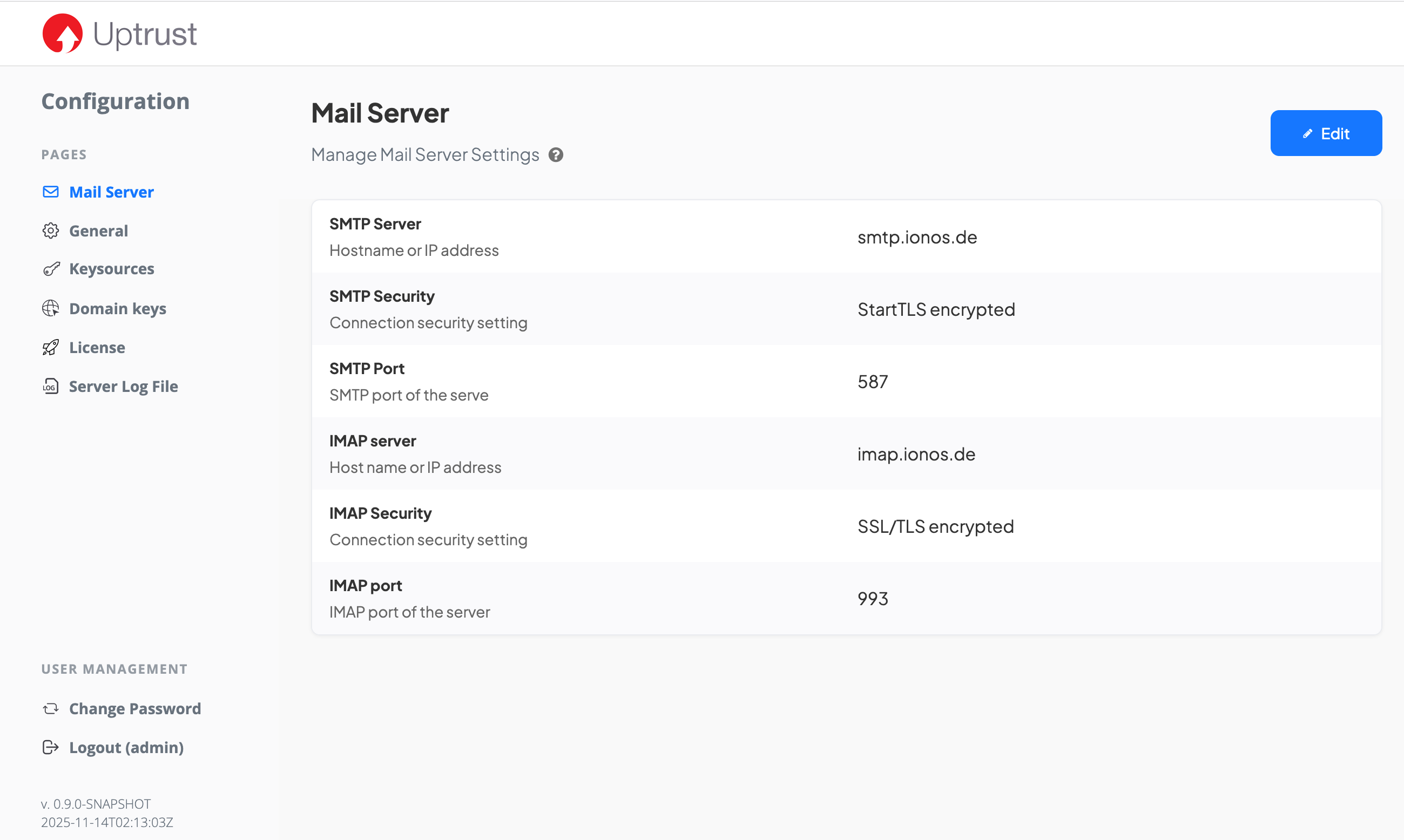
Host
Hostname or IP address under which the SMTP or IMAP server can be reached.
Note that no credentials are configured, because Uptrust proxies the login communication without having to know any credentials. Uptrust relays any login requirements and verification to the backend mail server.
Security
Specify how to secure the SMTP or IMAP connection to the mail server. Available options are
|
StartTLS encrypted |
Starts with an insecure connection, but then immediately sends a request to the server to establish a secure connection. By default, Uptrust uses enforced StartTLS, which means that the connection fails if the server does not offer or acknowledge StartTLS. Enforced StartTLS is considered safe. |
|
SSL/TLS encrypted |
Start with a TLS secured connection right away. (TLS and SSL are synonyms, but modern versions are called TLS). TLS is considered safe. |
|
Unencrypted |
Establish an insecure connection with no encryption. This is not a recommended option and should be used for test purposes only. |
Port
The port that must be used to connect to the server. The port usually depends on the security option.
Common SMTP ports
-
587 for StartTLS
-
465 for SSL/TLS encrypted, but considered outdated and often 587 is used instead
-
25 for MTA submission, allowing other mail servers to deliver inbound emails without authentication, usually with opportunistic (optional) StartTLS encryption
Common IMAP ports
-
143 for StartTLS, also for unencrypted
-
993 for SSL/TLS encrypted
Mail Client SMTP and IMAP
This is how mail clients should be configured to connect to the mail server via the Uptrust gateway. If required, these settings can be modified in the configuration files directly.
The hostname is determined by host the Gateway runs on. Note that StartTLS is enforced by default, so the client is not allowed to downgrade to not use StartTLS.
SMTP
Clients can connect to Uptrust Gateway using either of
-
port 587 with StartTLS
-
port 465 with SSL/TLS
IMAP
Clients can connect to Uptrust Gateway using either of
-
port 143 with StartTLS
-
port 993 with SSL/TLS