
Often called a p7 bundle, this is standardized key store format for public S/MIME certificates. Usually with a file suffix of p7b. Configure the sources where Uptrust can retrieve the keys from.
Overview
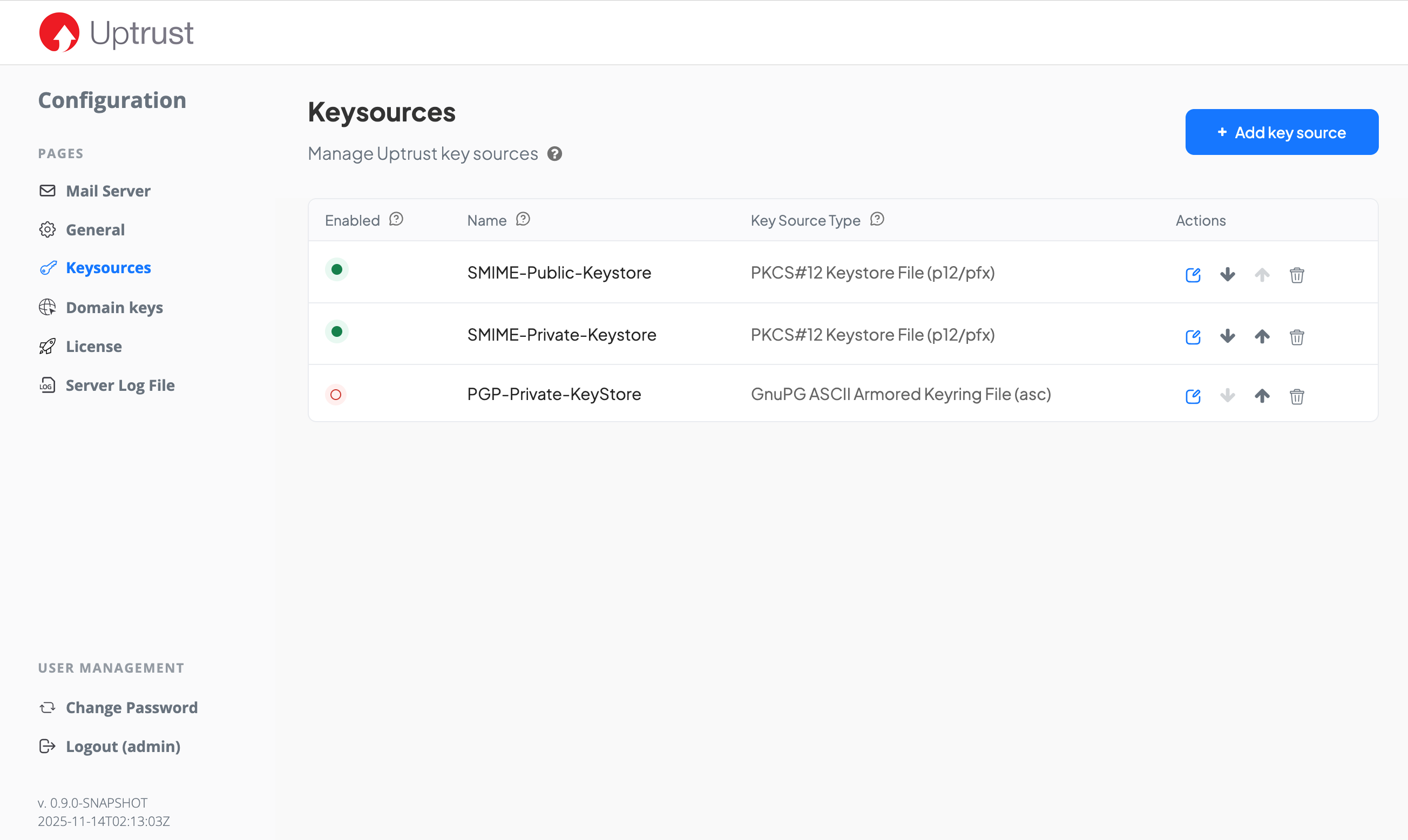
The table overview shows which key sources have been configured.
-
Enabled: only when the key source is enabled, it is used to search for keys. Disabled key sources will not be considered.
-
Name: an arbitrary name that helps you to quickly identify the key source.
-
Key Source Type: the type of the key source, like a key store file, or a key server.
-
Actions: edit (modify) a key source, rearrange it or remove it
Note that the order in the table represents the order in which the different key sources are searched.
Protection Standard
Specify if the key source rovides S/MIME or PGP keys.
In rare case, a key source may provide keys for both protection standards. In such a case, it needs to be added twice, once for each standard.
Confidentiality
Public
Use this if the key source holds only public keys and does not require a password or passphrase to access it.
Private
Use this if the key source provides private keys. It may (and usually does) provide public keys, too.
Key Source Types (public)
Supported public key source types are:
PKCS#7 key store file
S/MIME only. Often called a p7 bundle, this is standardized key store format for public S/MIME certificates. Usually with a file suffix of p7b.
You can either upload the key store file or provide a URI through which Uptrust can access the file. Any common protocol like https, https, ftp, file is supported.
BouncyCastle key store file
S/MIME only. Sometimes used in open source software with a few more options than the PCKS#7 format. Usually with a file suffix of bks.
You can either upload the key store file or provide a URI through which Uptrust can access the file. Any common protocol like https, https, ftp, file is supported.
GPG ASCII armored keyring file
PGP only. A public keyring in ASCII armored format. Usually with a file suffix of asc or gpg.
You can either upload the key store file or provide a URI through which Uptrust can access the file. Any common protocol like https, https, ftp, file is supported.
GPG keybox file
PGP only. A public keybox format, as used in recent GnuPG releases. Usually with a file suffix of kbx.
You can either upload the key store file or provide a URI through which Uptrust can access the file. Any common protocol like https, https, ftp, file is supported.
LDAP / Active Directory
S/MIME only. An LDAP or Active Directory server that provides S/MIME certificates in the user data.
Provide the connection data that Uptrust needs to reach the LDAP:
Host URI
Provide the URI through which the LDAP or AD server can be reached. Include the protocol (ldap or ldaps) and the port unless it uses the standard ports (389 for ldap or 636 for ldaps).
Base DN
Provide the root node from which to search for users. Optionally, you can prepend additional User DN in order to limit the scope for searching users and improve speed.
Email attribute
Provide the name of the attribute that stores the email address. It’s usually mail.
Filter
Optionally, add filters to limit the search to specific users.
Skip certificate check
When active, the certificate from the server will not be validated. Only use this for test purposes, unless absolutely necessary.
Username and password
If read access to the LDAP or AD requires authentication, enter the necessary credentials.
PGP key server
PGP only. Supports any HKP key servers.
Remote URI
Use either http or hkp or https or hkps URL schemes to provide the PGP key server URL. Add the port if non-standard.
Name
Any arbitrary name of the key source that helps you identify it in the overview table.
PGP Global Directory
PGP only. Supports the LDAP based key server by Broadcom, also knows under the names PGP Universal Server or PGP Encryption Server .
Remote URI
Provide the PGP key server URI. Add the port if non-standard.
Name
Any arbitrary name of the key source that helps you identify it in the overview table.
Key Source Types (private)
Supported private key source types are:
PKCS#12 key store file
S/MIME only. This is standardized key store format for private (and public) S/MIME certificates. Usually with a file suffix of p12 or (especially on Windows) pfx.
You can either upload the key store file or provide a URI through which Uptrust can access the file. Any common protocol like https, https, ftp, file is supported.
Password
Provide the password that is required to access the key store file.
BouncyCastle key store file
S/MIME only. Sometimes used in open source software with a few more options than the PCKS#12 format. Usually with a file suffix of bks.
You can either upload the key store file or provide a URI through which Uptrust can access the file. Any common protocol like https, https, ftp, file is supported.
Password
Provide the password that is required to access the key store file.
GPG ASCII armored keyring file
PGP only. A public keyring in ASCII armored format. Usually with a file suffix of asc or gpg.
You can either upload the key store file or provide a URI through which Uptrust can access the file. Any common protocol like https, https, ftp, file is supported.
Password
Provide the password that is required to access the key store file.